STAGED DRAFT FOR REVIEW · CASE STUDIES V2 · NOT LINKED FROM THE LIVE SITE
Case study: booking and operations platform

A transfer business, run from one platform

How HPCR rebuilt the system behind Sunshine Coast Private Transfers: pricing, bookings, scheduling, driver and customer portals, communications, invoicing and driver payouts in one place. The owner estimates it removes several days of manual administration each week.
Client
Sunshine Coast Private Transfers
Industry
Private vehicle transfers
Delivered
Complete booking and operations platform, website and ecommerce
Headline result
The owner estimates the system removes several days of manual administration each week
01

Where the business was

A private transfer operation is a moving puzzle. Every trip has its own route, time, vehicle and price. Vehicles and drivers have to be in the right place, customers expect confirmations and updates, corporate clients expect invoices, drivers need to be paid for the right jobs, and the phone rings through all of it.
Before the rebuild, that machinery ran on the owner's attention: quotes, schedules, driver instructions, reminders and invoices each handled manually, with the detail living across phone, email and memory.
02

The commercial problem

Manual coordination has two costs. The visible one is time: hours every week retyping, confirming and chasing. The quieter one is risk: a flight time missed, a reminder not sent, a driver working from an out-of-date text message. Both costs grow with every booking, which means the busier the business became, the harder it worked against itself.
03

The original brief

The visible need was a better booking experience for customers on the website. What the operation actually needed ran much deeper than the booking form.
04

What HPCR identified

HPCR identified that the real project was owner independence: a platform the operator manages the business through, not around. Price a trip once, and everything downstream, scheduling, driver instructions, customer communication, invoicing and payouts, should follow from that single entry without the owner carrying it by hand.
05

What HPCR designed and built

Dynamic pricing that calculates each trip from distance, travel time, vehicle and the other variables that matter, so quotes are instant and consistent.
Online booking and ecommerce with card payment in the flow, and account invoicing for business customers without retyping.
Vehicle and driver scheduling, so the fleet and the day's runs are visible and clashes are caught before they happen.
A driver portal where each driver sees their runs, times, flight details and notes, with payouts calculated per job.
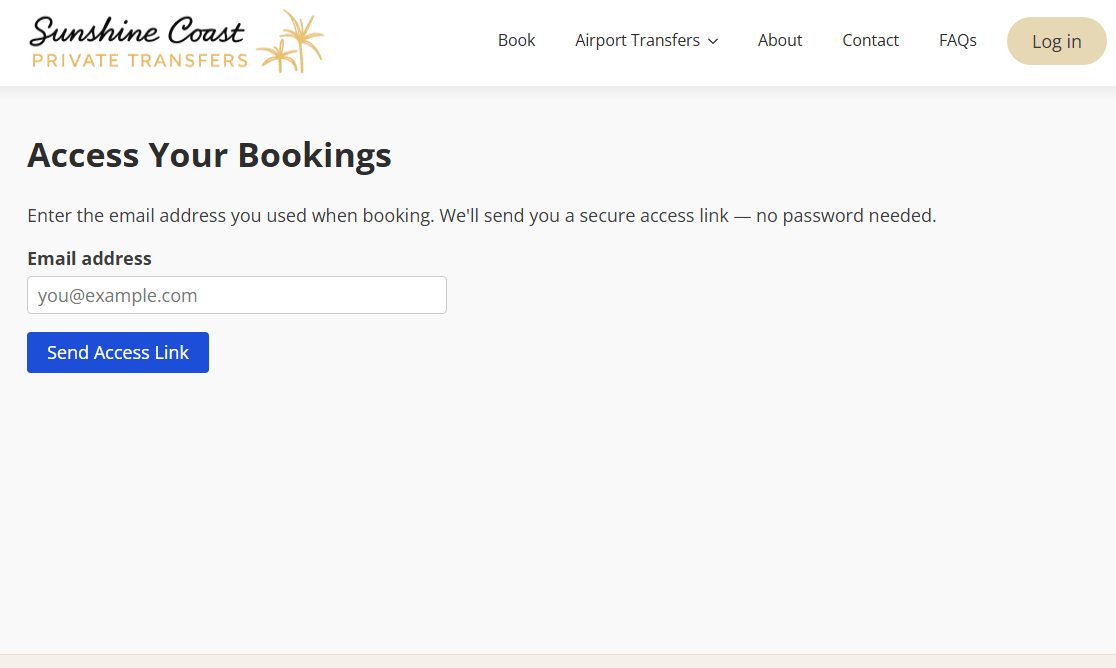
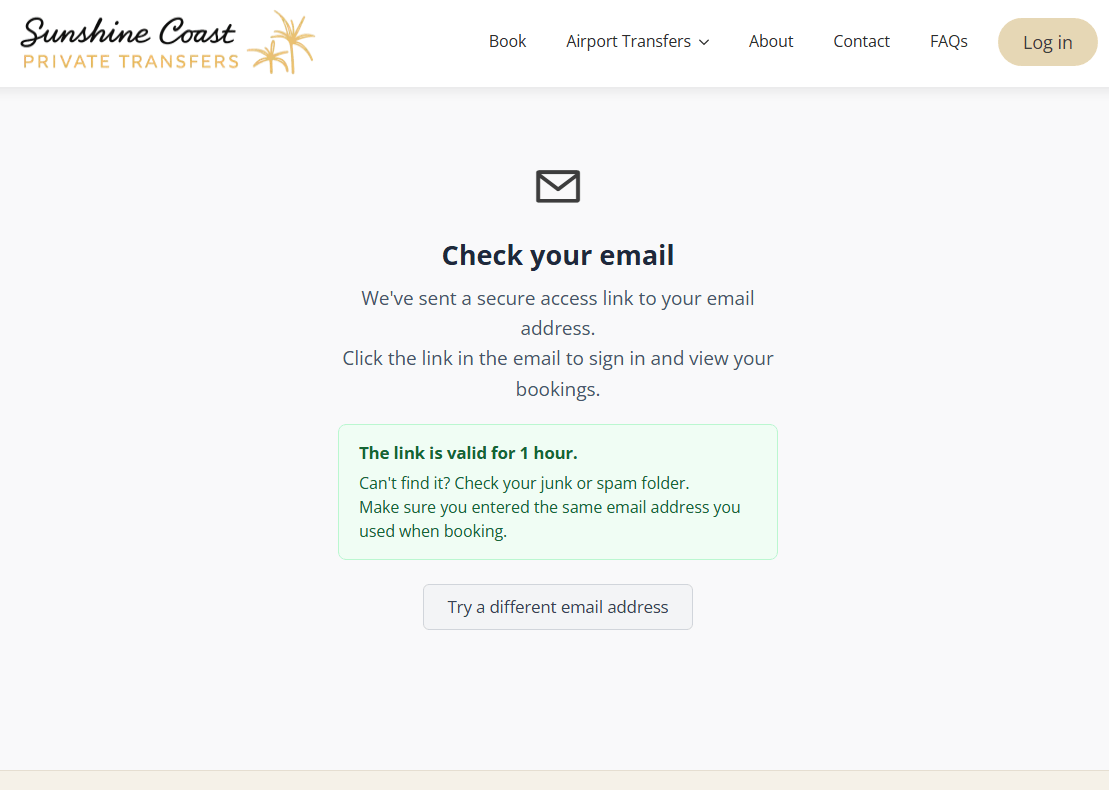
A customer portal with passwordless access: customers request a secure sign-in link with their booking email and manage upcoming and past trips themselves.
Automatic communications across the journey: confirmations, reminders and day-of details, with review requests following the trip.
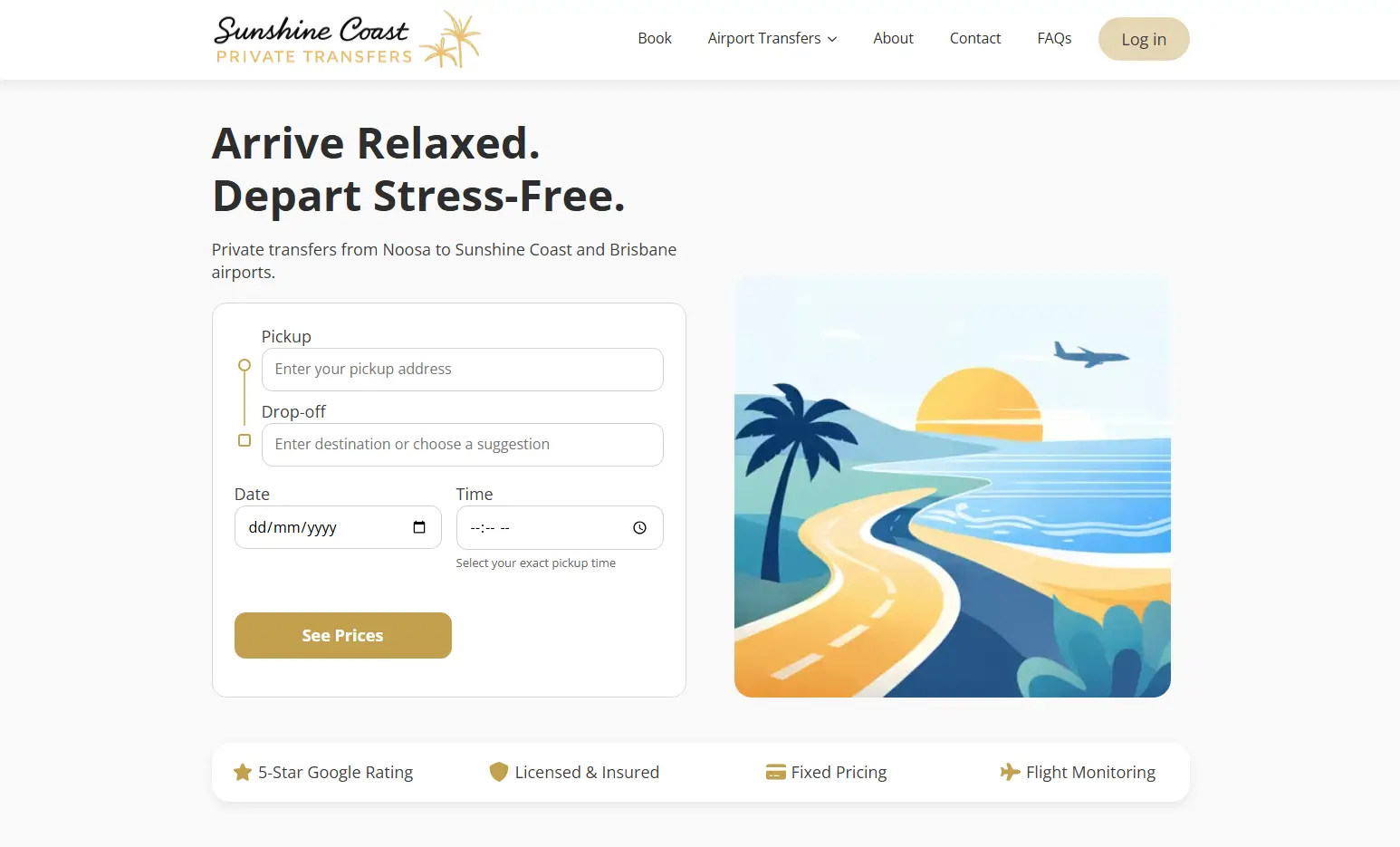
Sunshine Coast Private Transfers website with instant booking widget
The public site, with the quote widget front and centre
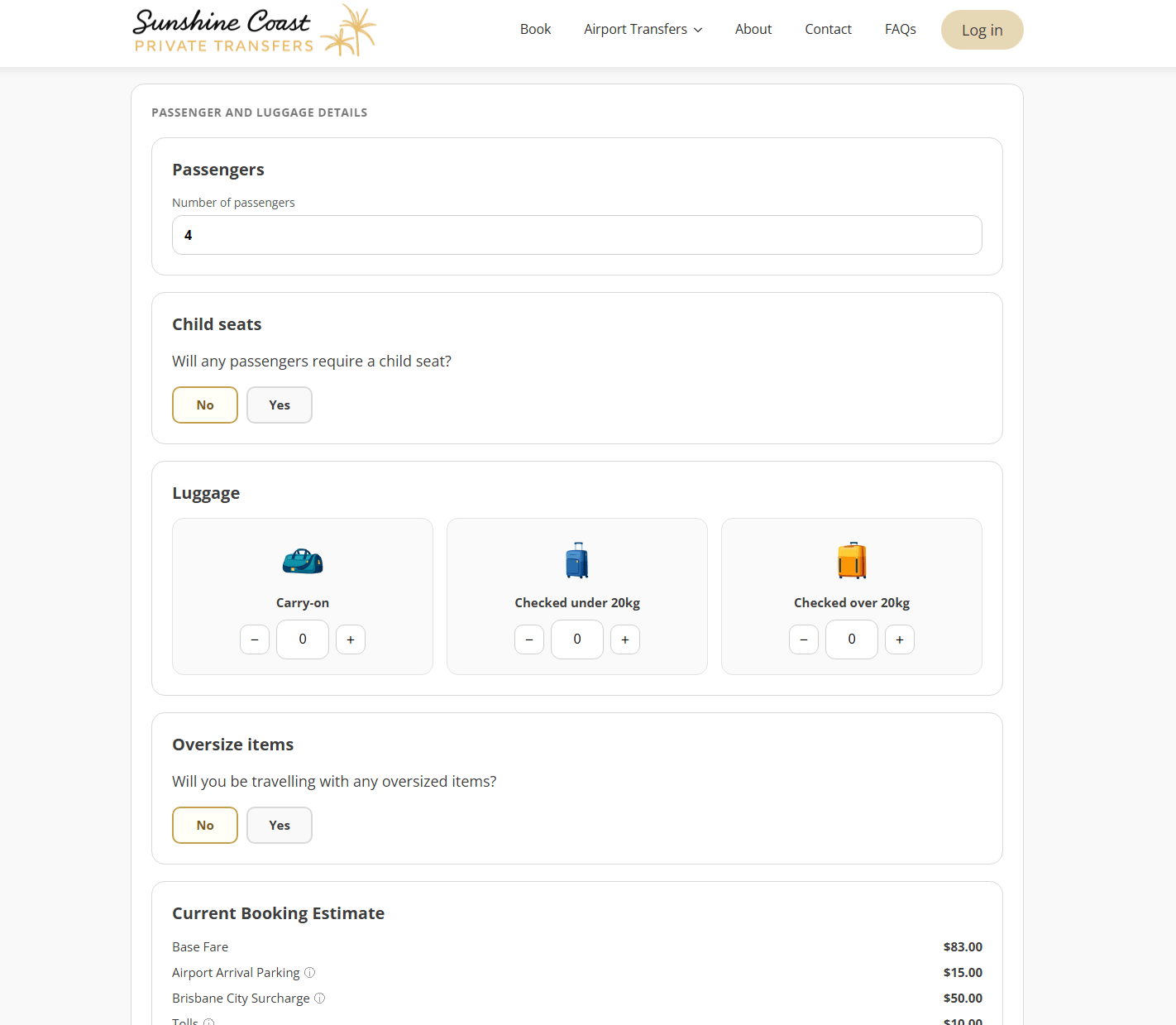
Booking flow step showing passengers, luggage and a live fare estimate
Passenger, luggage and pricing steps with a live fare estimate
SCREENSHOT PLACEHOLDER · FOR REVIEW · NOT FOR PUBLICATION

Dynamic-pricing configuration

REQUIRED SCREENSHOT
The admin screen where trip pricing rules are configured (rates by distance, time, vehicle)
INTENDED PROJECT
SCPT platform, operator admin
INFORMATION VISIBLE
Rate fields per vehicle type, distance or time components, surcharge rules. Shows the operator controls pricing without a developer.
ASPECT RATIO
16:10
CROP
The pricing rules panel; exclude surrounding WP admin chrome beyond the plugin frame
DEMONSTRATION DATA
Yes: seeded demonstration rates (same demo environment as the 1194 to 1203 set)
SANITISATION
Not needed if captured from the demo environment
DESKTOP TREATMENT
Dominant image, approx 72 percent width, framed
MOBILE TREATMENT
Full width; field labels legible

SCREENSHOT PLACEHOLDER · FOR REVIEW · NOT FOR PUBLICATION

Driver and vehicle scheduling calendar

REQUIRED SCREENSHOT
The scheduling view showing vehicles and drivers allocated across a day or week
INTENDED PROJECT
SCPT platform, operator admin
INFORMATION VISIBLE
Calendar or timeline with bookings placed against vehicles and drivers; ideally one visible clash warning or tight turnaround
ASPECT RATIO
16:9
CROP
One full day or week visible, whichever reads better
DEMONSTRATION DATA
Yes: seeded demonstration bookings and drivers
SANITISATION
Not needed with demo data
DESKTOP TREATMENT
Dominant image, approx 72 percent width
MOBILE TREATMENT
Full width; may need a tighter half-day crop for legibility
06

Who uses the system

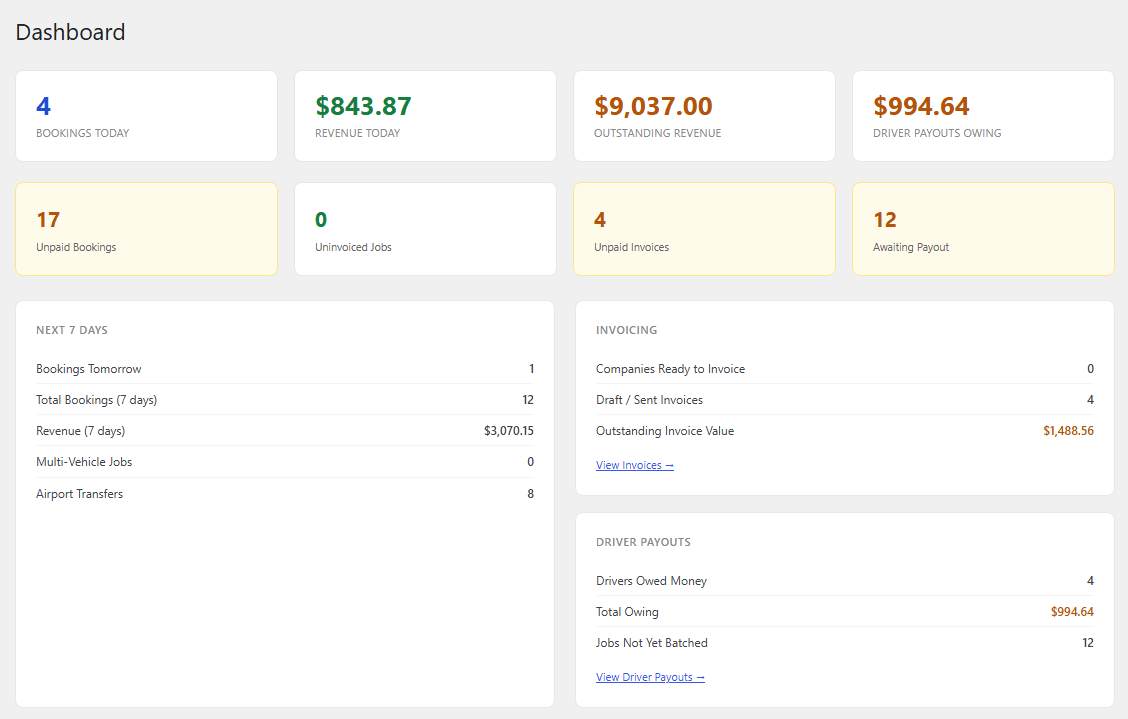
The owner runs the operation from the dashboard: today's bookings, the next seven days, invoicing and driver payouts in one view. Drivers work from their own portal instead of calls and texts. Customers help themselves to bookings, changes and rebooking. Business account clients receive proper invoices.
Transfer operations dashboard showing bookings, revenue, invoicing and driver payout panels with seeded demonstration data
The operations dashboard: today, the next seven days, invoicing and driver payouts. Seeded demonstration data.
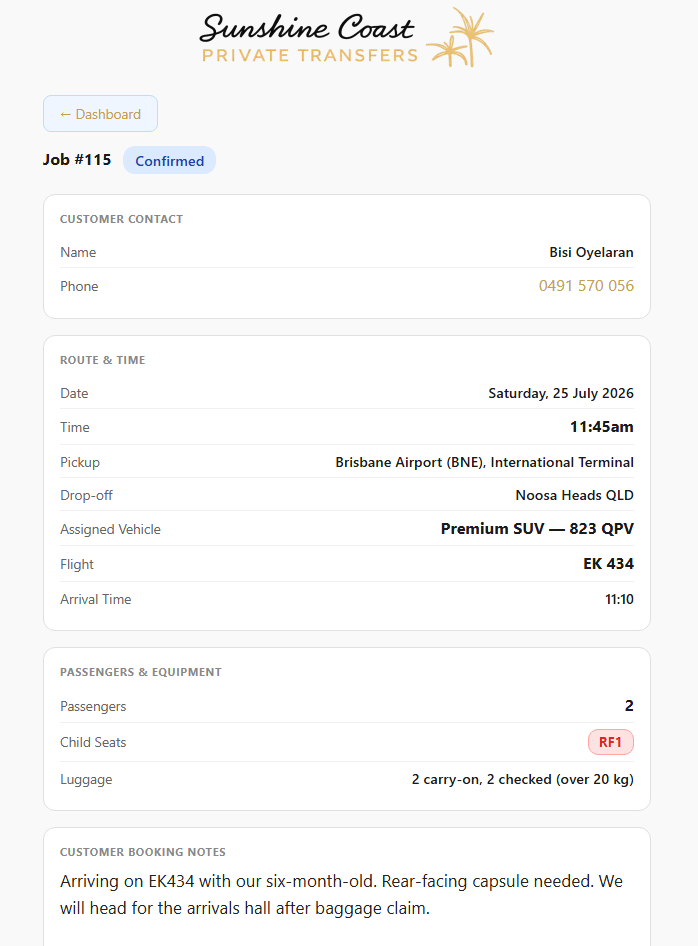
Driver job view with customer contact, route, assigned vehicle, flight, passengers, luggage and booking notes, seeded demonstration data
A driver's job sheet: route, flight, vehicle and notes
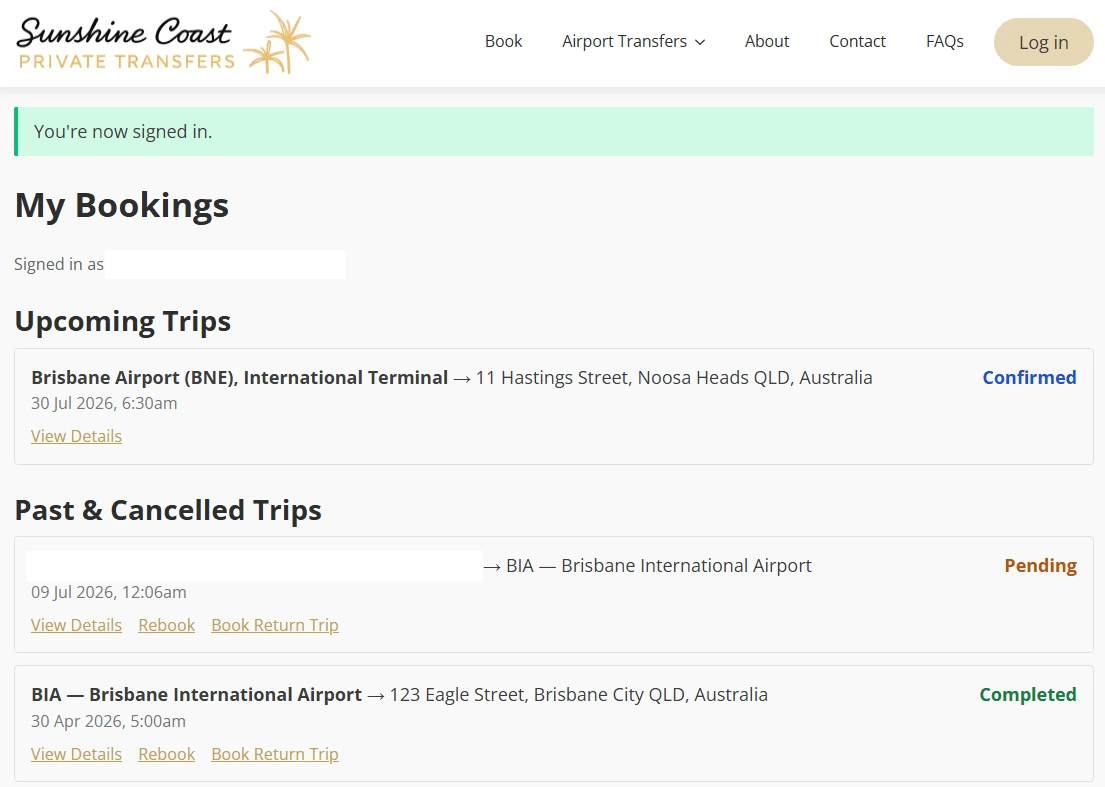
Customer dashboard listing upcoming, past and cancelled trips with statuses and rebooking actions, personal details removed
The customer dashboard: upcoming and past trips
Access your bookings screen requesting an email address to send a secure sign-in link
Passwordless access: customers request a secure sign-in link
Confirmation screen telling the customer a secure access link has been emailed and is valid for one hour
The emailed link signs them in; it expires after an hour
07

How the pieces connect

A booking made on the website is priced by the engine, paid or placed on account, scheduled against a vehicle and driver, surfaced in the driver's portal, confirmed to the customer, followed up automatically and settled through invoicing and driver payouts. Data is entered once, at the point of booking, and flows through every step. That is the difference between a website with a booking form and an operating platform.
WORKFLOW

How the booking and operational workflow connects

01
Booking priced online
Distance, time and vehicle set the fare instantly
02
Paid or on account
Card in the flow, or invoicing for business clients
03
Vehicle and driver scheduled
Allocated with clashes caught early
04
Driver sees the job
Route, flight, passengers and notes in the portal
05
Customer kept informed
Confirmations, reminders and updates send themselves
06
Settled without retyping
Invoices for accounts, payouts calculated per job
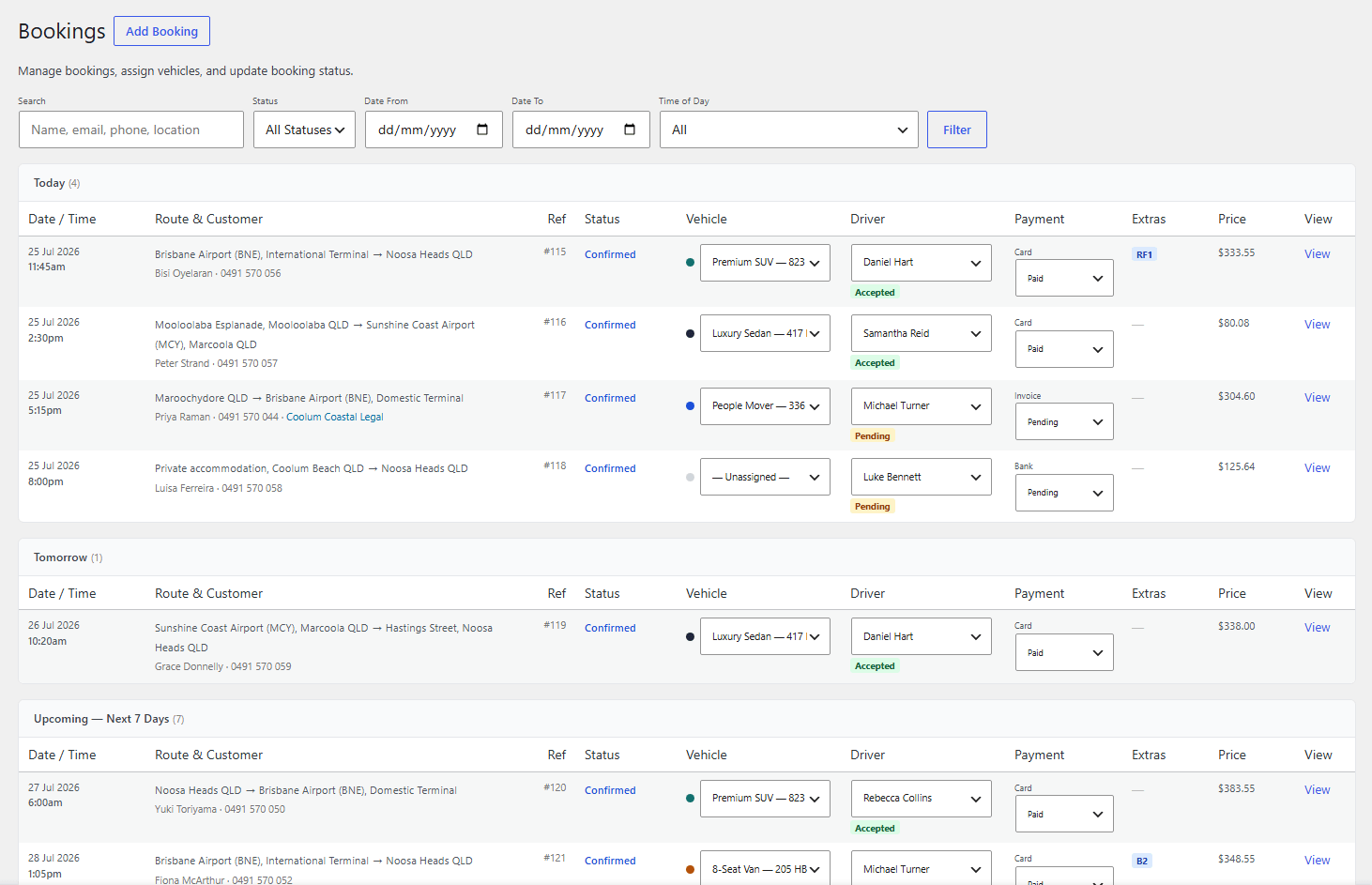
Bookings management table with filters, statuses, vehicle and driver assignment and payments, seeded demonstration data
The bookings table: filters, statuses, payments, vehicle and driver assignment. Seeded demonstration data.
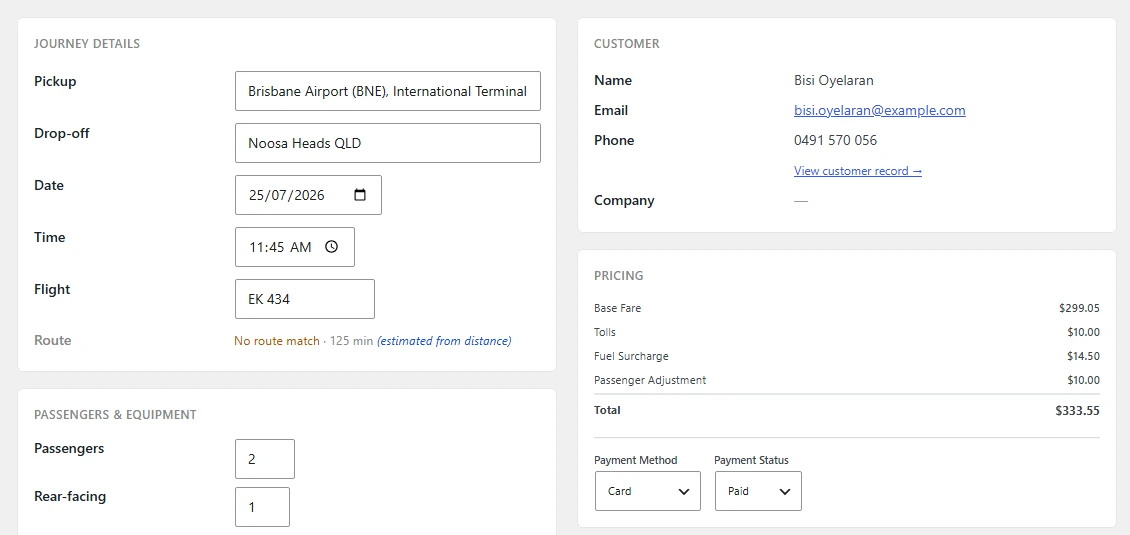
Individual booking screen showing journey details, customer record and itemised pricing, seeded demonstration data
Inside one booking: journey, customer and itemised pricing
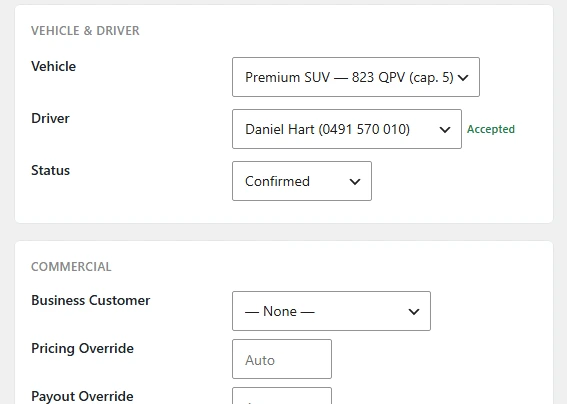
Booking controls for vehicle, driver, status, business customer and pricing overrides
Vehicle, driver and commercial controls
08

What changed

The owner estimates that the system removes several days of manual administration each week. Just as importantly, the risk of missed information has fallen: communications send themselves, schedules are visible rather than remembered, and every job carries its own details to the person doing it.
The business no longer depends on the owner relaying information for it to function, which is what owner independence actually means in practice.
09

Where it can go next

Growth is now configuration rather than coordination: new vehicles, drivers and service types are added in the platform, and the same machinery carries them. The operating data the platform accumulates also gives the business a factual basis for pricing and capacity decisions.
RELATED

Jobs, vehicles, people and payments in one system

If your operation runs on jobs and resources, describe a normal week to us. We will show you what that week looks like on a platform built for it.