Case study: management reporting

The reporting layer that turns CRM data into management decisions

Quadrant's CRM held the data. The questions management actually asked needed a reporting platform of their own, so HPCR built one over the HubSpot data.
Client
Quadrant Farming Solutions
Delivered
Dedicated management reporting platform over HubSpot CRM data
Coverage
Sales activity, stockist onboarding, management attention, commercial pipeline
Role in the system
The decision layer over everything else

The problem

Management's questions were specific: what did each sales representative actually do this week, how does it compare with last week, which stockists are engaging with onboarding, where is the pipeline sitting and ageing, and what deserves attention next. HubSpot's standard reporting, built to serve a broad market, did not adequately answer questions this specific to the business.

What HPCR identified

The gap was not more charts; it was reporting designed around the management meeting. HPCR identified the questions leadership needed answered, then designed a dedicated reporting platform to answer exactly those, reading from the same HubSpot data the team already maintains. No re-entry, no exports, no spreadsheet assembly before each meeting.

What HPCR built

A dedicated, read-only reporting platform over the client's HubSpot data, organised the way management thinks: sales activity by representative with weekly snapshots and week-over-week movement, stockist onboarding engagement, the commercial pipeline at any point in time, and a management attention view that surfaces where focus is needed next.
On screen the platform carries its white-label name, Clearview. It is an HPCR-built reporting layer, configured for the Stalosan sales workflow from stockist onboarding through to the commercial pipeline. Every screen shown on this page carries demonstration data, not client figures.
Because the platform is custom, it answers the business's questions in the business's language, and new questions become new views rather than new software.

BUILT BY HPCR
WHITE-LABELLED AS CLEARVIEW · DEMONSTRATION DATA
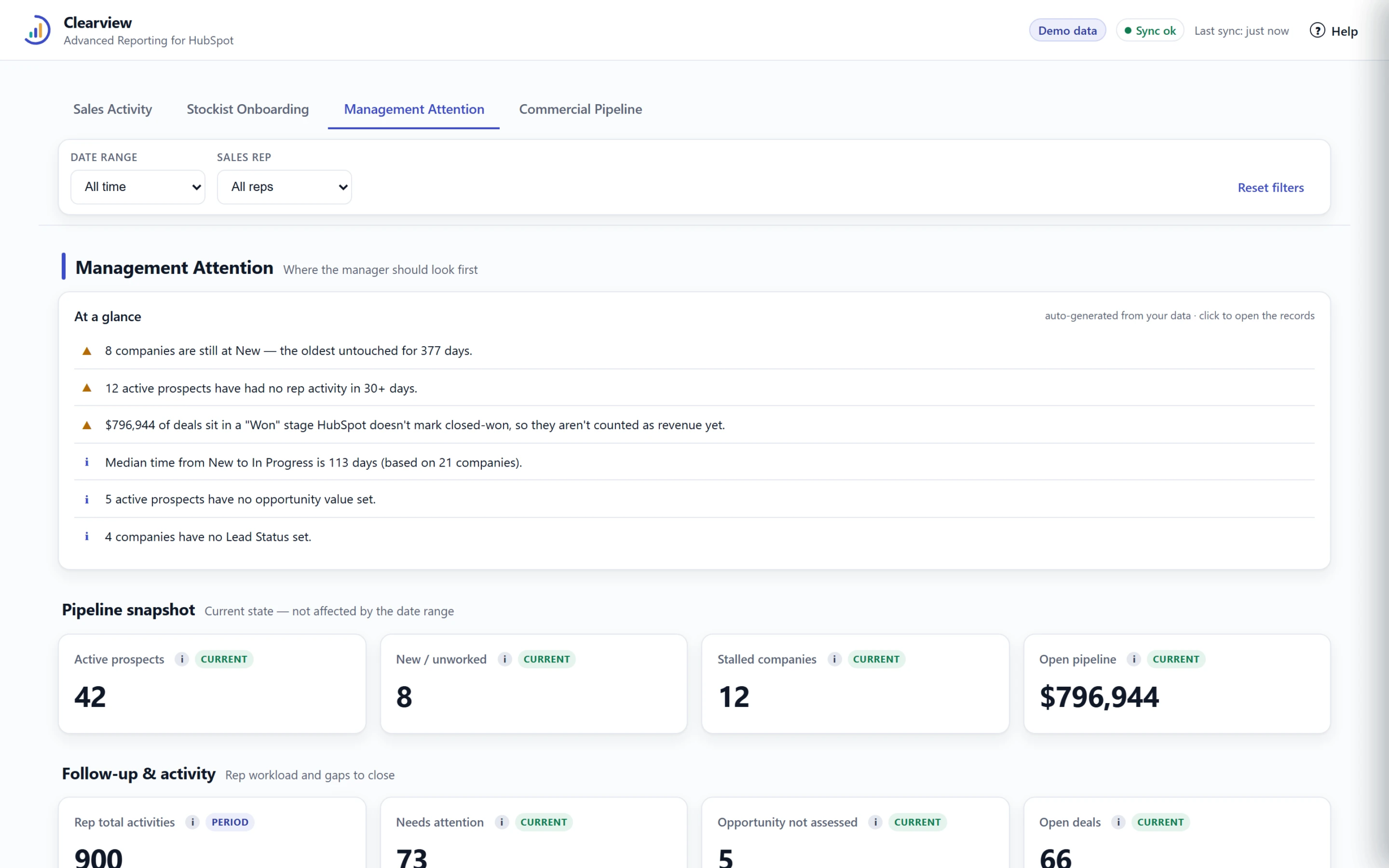
Management Attention: where the manager should look first, generated from the CRM data. Demonstration data.
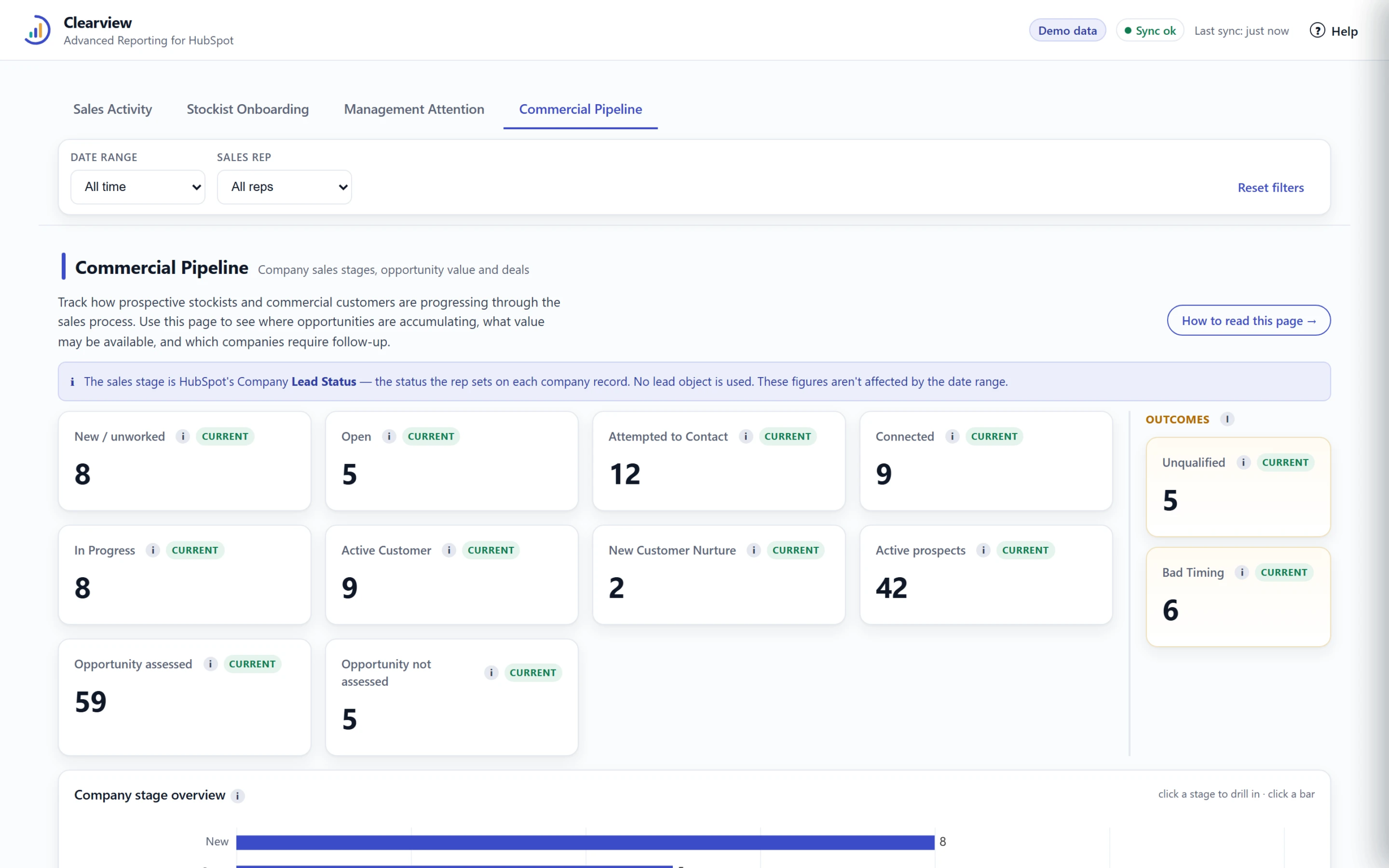
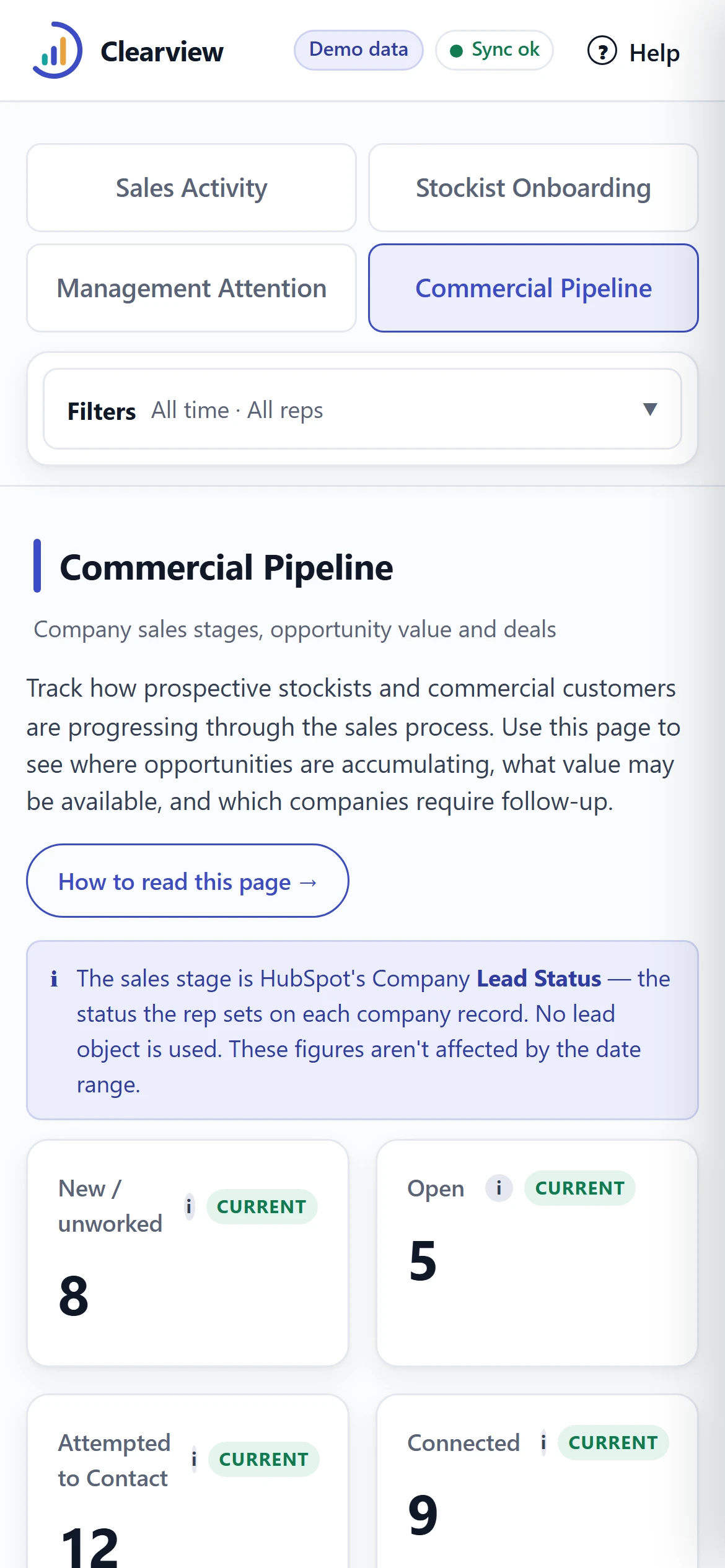
Commercial Pipeline: company sales stages, opportunity value and outcomes. Demonstration data.
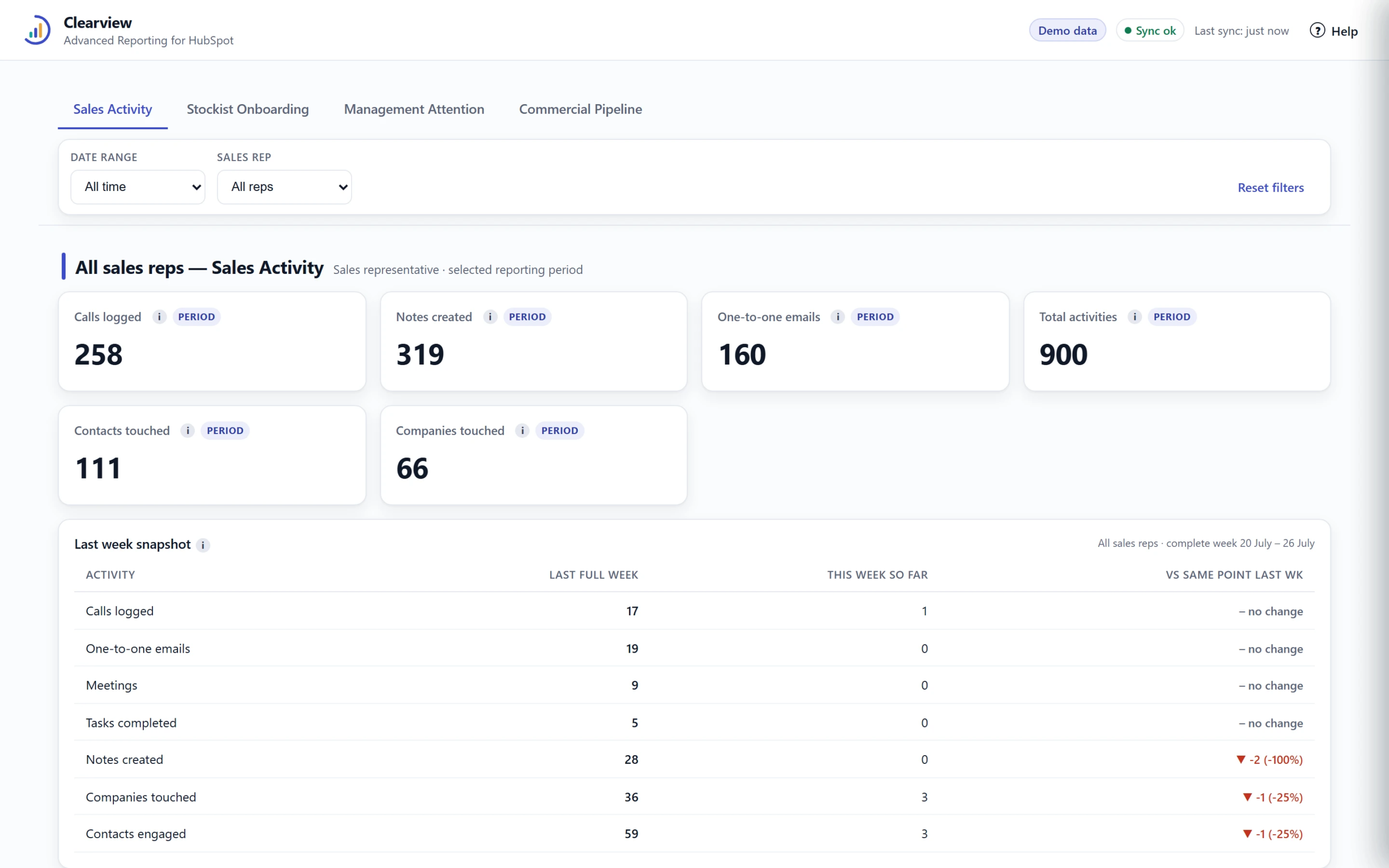
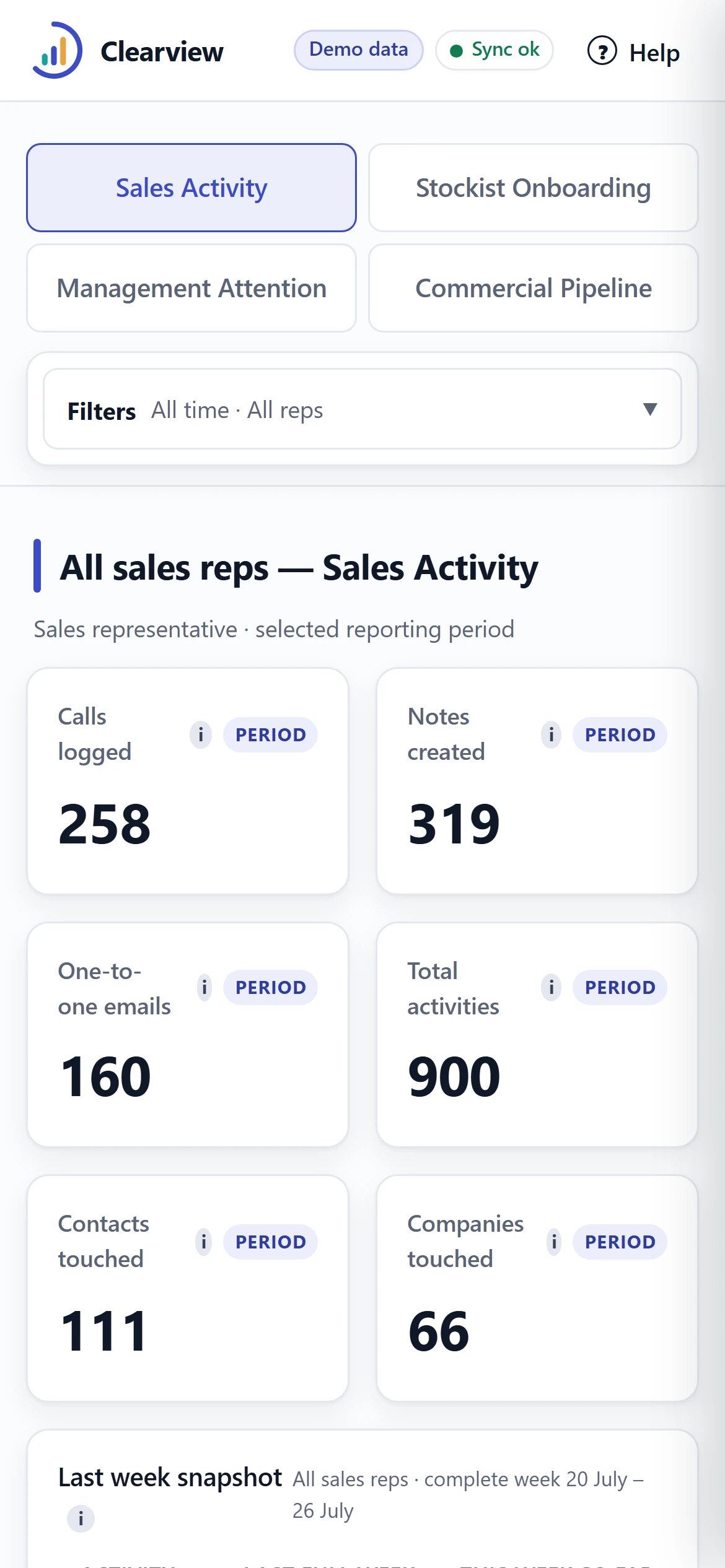
Sales Activity: period totals with the last-week snapshot and movement. Demonstration data.

How it connects

Every other layer of the Quadrant system feeds this one. The websites and calculators create enquiries, the onboarding sequence records stockist engagement, the sales team's activity lands in the CRM, and the reporting platform reads it all in one place. It is the layer that makes the rest of the system measurable.
EVERY FIGURE IS INSPECTABLE
STEP 01

Start at a metric

Any tile on the dashboard is a question a manager might ask.
The New / unworked count on the pipeline view. Demonstration data.
STEP 02

Open the records behind it

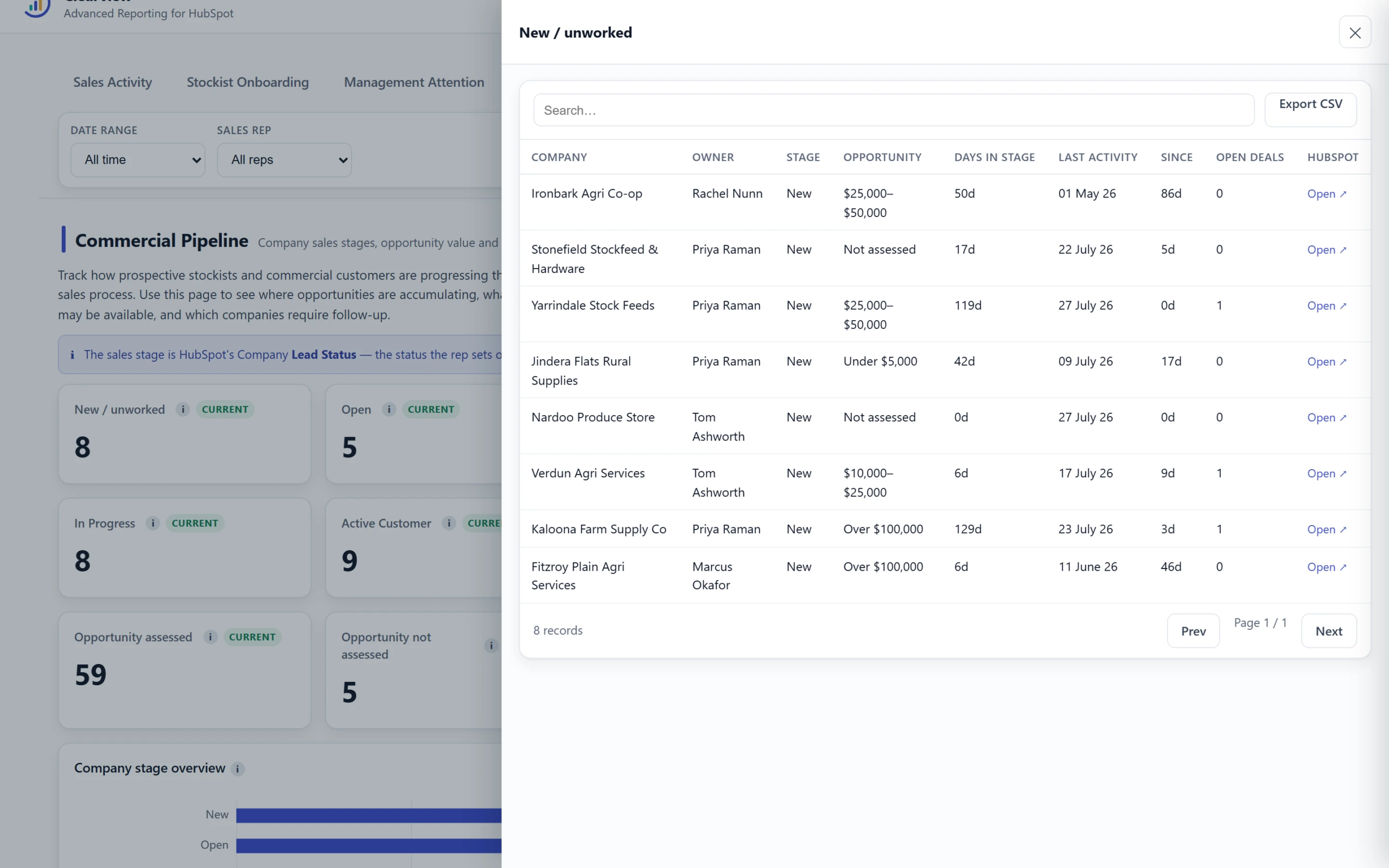
Clicking the metric opens a drawer listing exactly the companies it counts.
The drill-down drawer behind the metric. Demonstration data.
STEP 03

Land on the company record

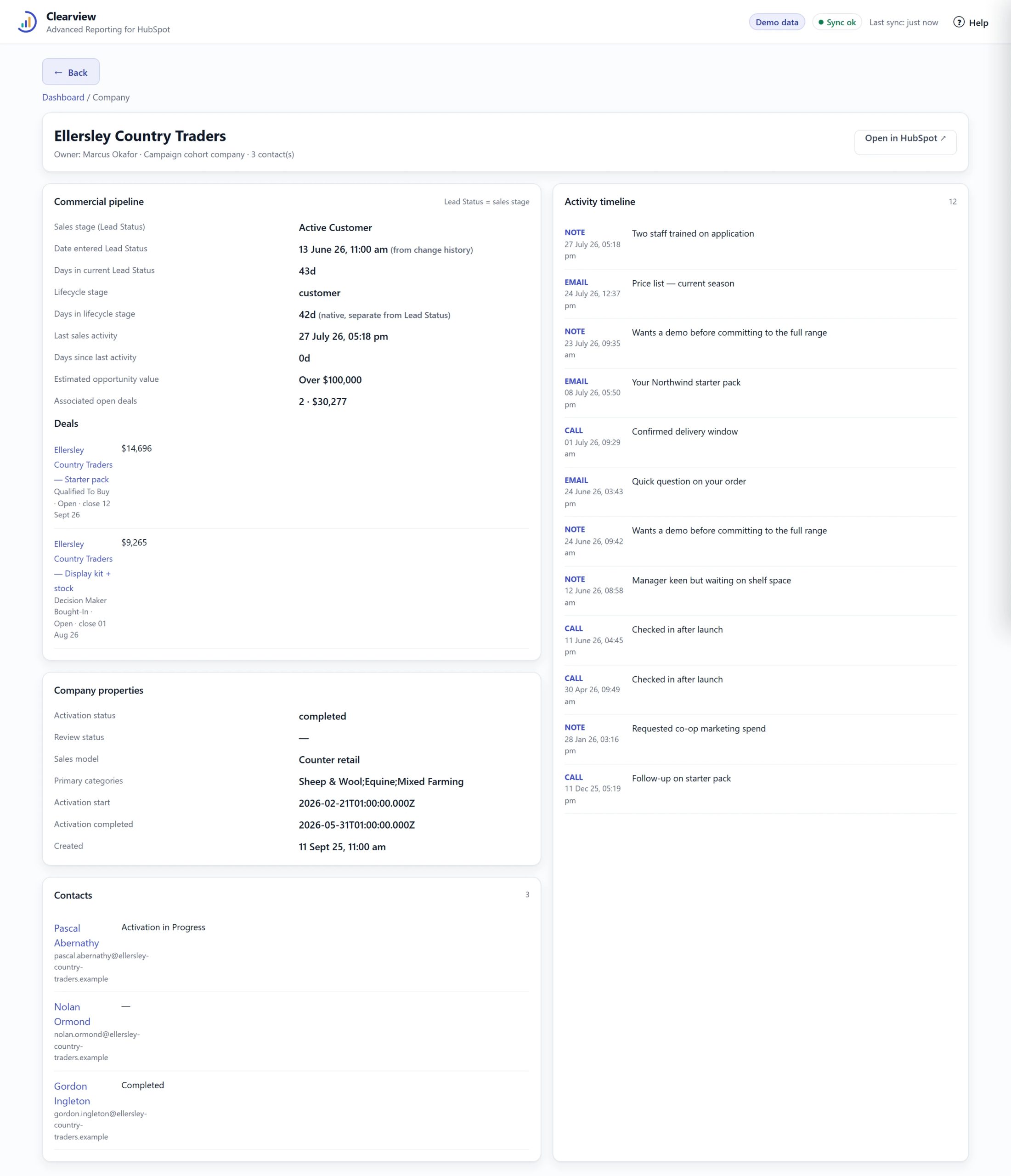
One more click reaches the full company view: pipeline, properties, contacts and activity.
The company record, end of the trail. Demonstration data.
Sales Activity on a phone. Demonstration data.
Commercial Pipeline on a phone. Demonstration data.
RESPONSIVE
The same platform on a phone: management can check the attention items and the pipeline away from a desk. The phone captures are shown as responsive proof only.

What changed

Leadership now steers with data: which campaigns engage stockists, where the pipeline sits and what deserves attention next, from a live platform rather than assembled spreadsheets. The specific figures involved are the client's own performance data, so we do not publish them, and we apply the same discretion to every client.
RELATED

See your pipeline clearly

Tell us the three questions your management meeting cannot currently answer. We will show you the reporting that would answer them.